How to Choose an Aquarium Water Pump for a Small Desktop Tank
A desktop aquarium often shares a room with computers, books, office supplies or sleeping areas. Its pump needs to work within a compact space and produce a current appropriate for the inhabitants. Even a small pump can create a surprisingly fast stream in a short glass tank. Choosing the right combination of physical size, water delivery and mounting arrangement makes a desktop setup easier to live with and maintain.
Consider the Equipment Already Built Into the Aquarium
Many desktop tanks come with an integrated rear filtration compartment or a small internal filter. The existing pump may already provide sufficient circulation. Before purchasing another device, observe the return and examine how water moves around the tank. If the heater receives suitable circulation, the filter is operating as designed and there is appropriate surface movement, an additional pump may be unnecessary.
An independent pump can be useful when replacing an existing unit or when the tank design requires a separate source of water movement. Determine whether the pump needs to drive filter media, return water from a chamber or circulate water directly in the display. A compact circulation device and a small return pump may have entirely different fittings and intake arrangements.
Measure the Available Space and Water Level
Write down the internal dimensions of the aquarium and the planned position of the pump. A desktop tank may be sold by nominal volume, but decor, substrate and incomplete filling reduce the actual amount of water. The usable pump compartment may also be considerably smaller than the display.
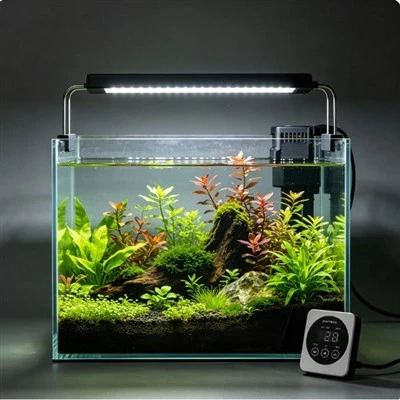
If the pump will sit in a rear chamber, measure its width, length and depth at the normal water level. Include the space required for an outlet adapter, hose bends and removal of the inlet cover. A pump that fits only when its fittings press against the glass can transmit vibration or be difficult to remove during cleaning. Consider the minimum water level the pump may experience during ordinary evaporation and follow its immersion requirements.
Choose Gentle and Distributed Water Movement
Desktop aquariums often contain small fish, shrimp or plants that need relatively gentle conditions. A narrowly directed stream can take up much of the available swimming area. The aim is to maintain useful filtration and appropriate surface movement without forcing every animal to swim against the outlet throughout the day.
A compatible adjustable pump can make initial setup easier. Choose a model whose lower operating range is suitable for the tank, then direct the outlet away from preferred resting and feeding areas. A broad discharge or an approved spray bar may distribute the flow more evenly. In tanks with delicate livestock, ensure intake slots are suitably protected without creating a blockage that starves the pump of water.
Manage Noise in an Office or Bedroom
Desktop aquariums sit close to the people using the room, which makes small noises more noticeable. A slight vibration may be transferred into a desk, glass panel or lid and become louder. A return that falls a short distance above the normal waterline may produce a continuous splashing sound. If air enters the pump or becomes trapped in the filter, the resulting noise can be intermittent.
Inspect the manufacturer's installation recommendations and use the supplied mounting components correctly. Make sure the pump is stable and tubing is not pressing tightly against the aquarium wall. Set the return at the approved water level and keep the intake supplied with water. Do not obstruct ventilation for external power supplies or controllers to reduce sound. A smaller or lower-output pump may be suitable only if it still supports the aquarium's filtration and circulation requirements.
Review Electrical and Maintenance Details
Check the pump's power requirements before purchase. A model with a small pump housing may have a comparatively large external adapter or control unit. Plan a dry location with the necessary space to mount and use those components. Keep electrical connections away from potential splashes and install a suitable cable arrangement in accordance with the manual.
In a planted desktop aquarium, a fine intake sponge may collect fragments more quickly than expected because the pump and filter have limited surface area. Make routine inspections easy. Owners should be able to disconnect power, remove the pump according to instructions, clean its serviceable parts and return it to position without uprooting the aquascape. A spare impeller or other model-specific service part can be useful if the tank depends on the equipment for filtration.
Observe the Tank After Installing the Pump
Observe the normal waterline, the outlet pattern and the way fish or shrimp use the display. Food should remain accessible to the intended animals, while the filter still receives the water needed for normal operation. A desktop aquarium is small enough that even slight changes to the outlet direction may produce noticeable differences in the movement of plants and substrate.
Watch for a stronger return after cleaning a clogged prefilter, particularly if the pump was adjusted to compensate for the previous weak flow. If the pump is replaced, confirm that it restarts as required after routine maintenance. A reliable desktop setup should not require frequent adjustments simply to maintain a stable water level or suitable current.
The best aquarium water pump for a small desktop tank is the model that fits its filter and available space while generating a comfortable circulation pattern. Volume provides a useful starting point, but outlet geometry, maintenance access and the existing equipment often determine whether the pump works well in everyday use.