Why Is My Aquarium Light Flickering? Causes and Solutions
An aquarium light may flicker for several reasons, ranging from a loose power connection to a failing LED driver or moisture inside the fixture. The following troubleshooting steps can help identify the problem.
1. Check the Power Supply and Connections
Check the outlet and power cable: Try connecting the aquarium light to another suitable outlet. Inspect the plug, cable, and connectors for looseness or visible damage.
Check the power adapter: If the light uses an external adapter, confirm that its output voltage and current specifications match the requirements of the fixture. A damaged or unstable adapter can cause LED aquarium lights to flicker.
2. Inspect the Aquarium Light
Aging or damaged LEDs: After extended use, individual LED chips or other electronic components may deteriorate. Flickering, uneven brightness, or LEDs that fail to illuminate can indicate a problem with the light source or circuit.
Driver or ballast problems: LED fixtures rely on electronic drivers, while fluorescent aquarium lights may use ballasts. A failing driver or ballast can cause unstable illumination.
For safety, replacement electrical components should match the manufacturer's specifications.
3. Check for Moisture and Overheating
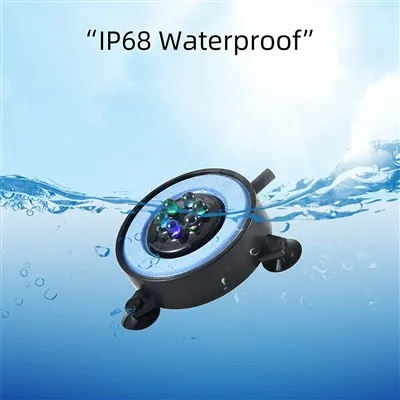
Aquariums create a humid environment, so water resistance and moisture protection are especially important.
If moisture enters a fixture that is not properly sealed, it can cause corrosion, electrical faults, or flickering. If you suspect water intrusion, disconnect the light from power immediately and do not continue using it until it has been properly inspected.
Overheating can also cause lighting problems. Poor heat dissipation may trigger protection circuits or shorten the lifespan of LEDs and drivers. Keep the fixture's ventilation and heat-dissipation areas unobstructed.
4. Check the Dimming System
If you are using a dimmable aquarium LED light, flickering may occur when the controller, dimmer, power supply, and fixture are not fully compatible.
Try increasing the brightness to determine whether the flickering occurs only at very low settings. If it does, check whether the controller and power supply meet the manufacturer's requirements.
5. Check Timers and Smart Controllers
Modern aquarium lights may include timers, memory functions, sunrise/sunset modes, app control, or programmable lighting schedules.
Incorrect settings, controller faults, or software/firmware issues may occasionally cause unexpected flashing. Try resetting the controller according to the manufacturer's instructions and checking the programmed lighting schedule.
What Should You Do If the Light Keeps Flickering?
If basic troubleshooting does not solve the problem, stop using the light until the cause has been identified-especially if you notice water intrusion, a burning smell, unusual heat, damaged cables, or exposed electrical components.
Avoid opening or repairing mains-powered electrical components yourself unless you are qualified to do so.
For aquarium environments, choose a properly rated water-resistant aquarium LED light, use the correct power supply, and regularly inspect cables, connectors, seals, and mounting components. This can reduce flickering problems while improving the safety and service life of the aquarium lighting system.